
Upgrading your Ubuntu-on-Windows install to the app version

Canonical
on 3 August 2017
Our team and Microsoft recently released Ubuntu as a Windows app store application! 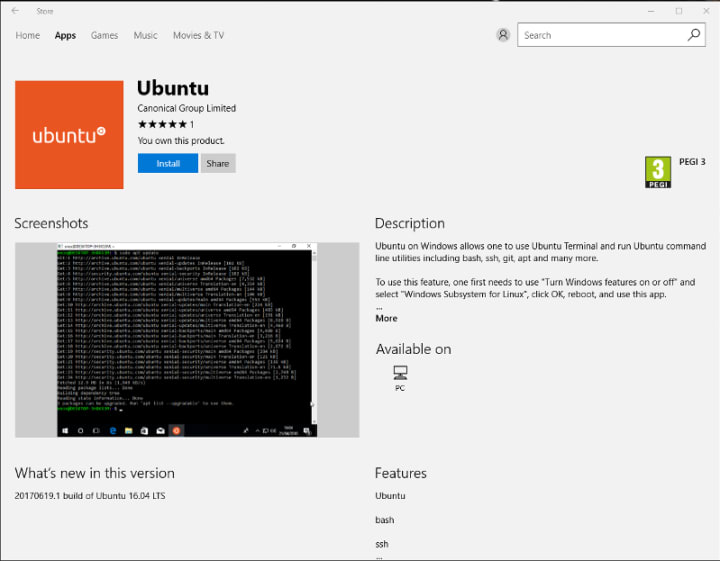 If you toyed with the “bash on Ubuntu on Windows” version before and would like to try the latest and greatest, read on!
Saving your data
If your “bash on ubuntu on windows” environment has some data you’d like to keep, make sure you back it up now. The uninstall process will nuke everything.
Uninstall the old way
This is relatively simple. Opening a command line (cmd.exe) terminal and typing
lxrun /uninstall
will destroy your previous environment.
Installing the new way
To find the app in the Microsoft store, just type “Ubuntu” in the search bar. Click install. Voilà!
Talk to us today
Interested in running Ubuntu in your organisation?
Newsletter signup
Related posts
Anbox Cloud on C4A metal: Android, at scale, without friction
Why C4A metal is a great place to run Android and why Anbox Cloud makes that practical. If you’ve spent even a small portion of time working with Android...
Canonical announces live kernel patching for Arm64
Canonical Livepatch now officially supports Arm64, further expanding its security patching automation capabilities. For the first time, Ubuntu on an Arm64...
How to use RISC-V custom instructions with Ubuntu
Introduction My previous blog talked about the importance of instruction set standardization for ecosystem stability and growth through the use of profiles....