Philip Williams
19 December 2025
Recently, the team at MinIO moved the open source project into maintenance mode and will no longer accept any changes. That means that no new features or enhancements will be added to MinIO, and existing issues — according to the update — will not be actively considered. Whilst MinIO brought a solid developer-friendly approach to object storage (S3) for many years, this update means that the project is unlikely to keep up with advancements in storage tech. So, for developers hoping to stay at the cutting edge of object storage, and to take advantage of block and file storage, what’s the next step?
Ceph has set the standard as the trusted, production-worthy open source storage for over a decade. However, some users have found the upstream tooling complex to use; so, a couple of years ago we introduced MicroCeph as an opinionated and simple way to deploy Ceph.
Despite the Micro name, there’s nothing missing. MicroCeph is fully-featured Ceph, with the same scale-out architecture, and block (RBD), file (CephFS, NFS), and object (S3, Swift) protocols. The positive difference is that MicroCeph offers simpler deployment, scaling, and day-2 operations.
Since its release, adoption of MicroCeph has spread far and wide. Now, you’ll find it deployed in everything from single-node development environments and CI pipelines, to production-scale multi-PetaByte deployments, enabling organisations to manage ever increasing data storage needs. For developers looking for a MinIO alternative, MicroCeph could work for you.
Setting up your MinIO alternative: how to get started with MicroCeph
In this tutorial, we’ll walk through the steps to get a single node Ceph cluster up and running. We’ll also explain how to enable RGW (Rados Gateway), so that you can use the S3 API like you might have done with MinIO.
First you’ll need a single node or VM to try things out. And with MicroCeph being delivered as a Snap, you don’t have to be using Ubuntu OS – any Linux machine with snapd will work!
Begin by installing the latest stable version of MicroCeph:
sudo snap install microceph --channel=squid/stable
Once the snap is downloaded and installed, we need to initialize the Ceph cluster:
sudo microceph cluster bootstrap
We can then check to see if the bootstrap was completed successfully:
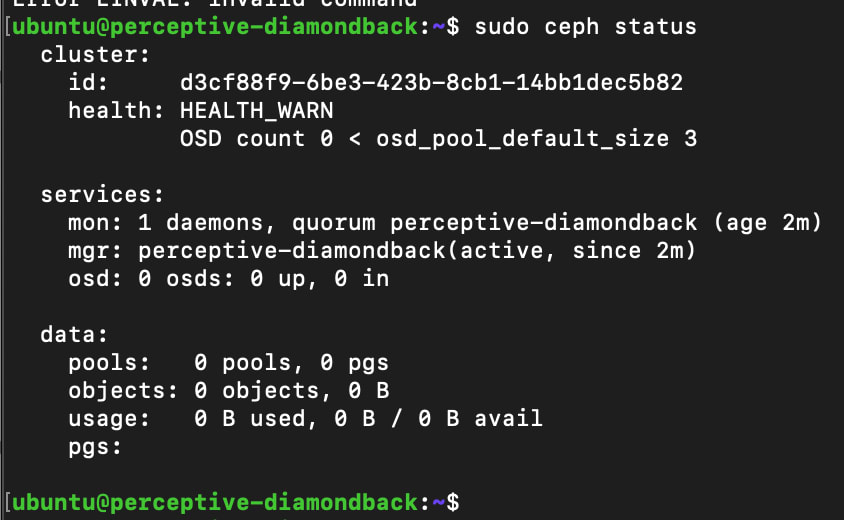
sudo ceph status
You should see output similar to the example below. Don’t worry about HEALTH_WARN at this stage, that’s expected as we only have a single Monitor (MON) in the cluster and no Object Storage Daemons (OSDs).
Like any storage system, Ceph needs some disks to make it useful. In this scenario, we’ll add one file-based disk to get started. That’s perfect for testing and CI – but not ideal in production. For that you should use real disks, i.e. flash or spinning media. Find out more about which disks to use for MicroCeph in our documentation.
To add a file-based disk, input the following:
sudo microceph disk add loop,4G,1
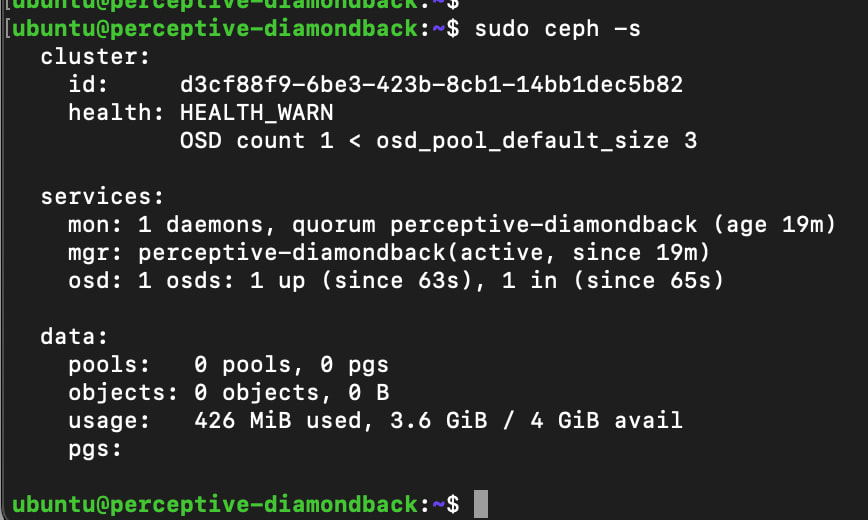
Once again, we can check the status of the cluster. Here we can see that the OSD has been successfully added.
One more step that we need to carry out in this test, or demonstration configuration is to adjust the replication factor. This should never be done in production, or with data that you care about: if the single disk fails, you will encounter data loss.
To adjust the replication factor, input the following:
sudo microceph pool set-rf "" --size=1
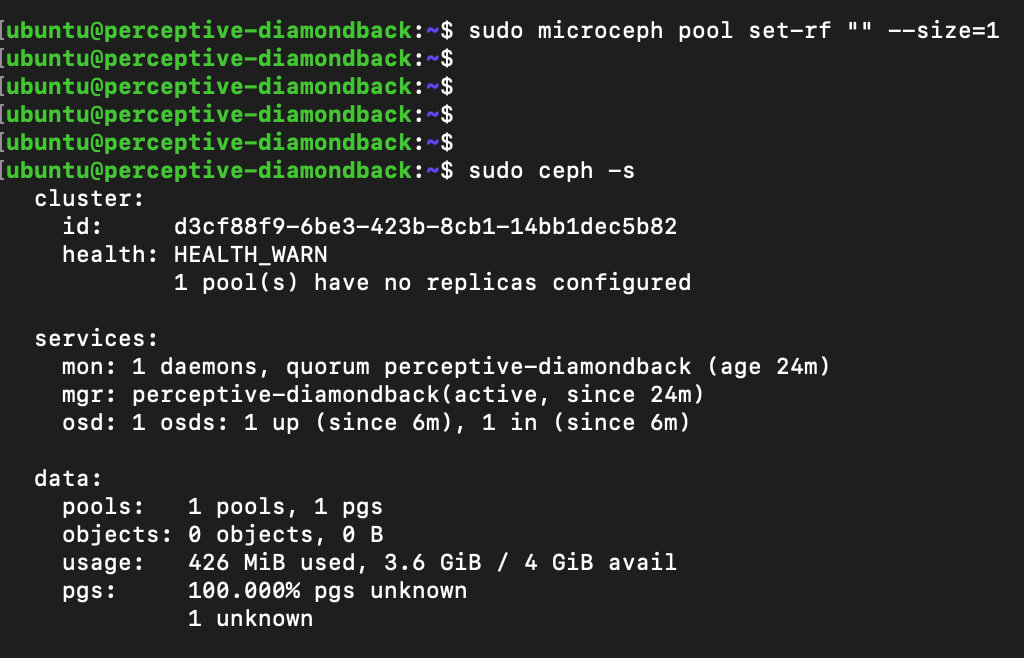
While there is a warning, this can be ignored for now, as this is just a test environment.
Enabling RGW
The next step is to enable RGW so that we can use the S3 API.
sudo microceph enable rgw
MicroCeph will take care of several things in this step: it’ll deploy the RGW daemon and create the pools needed for object meta-data and the objects themselves.
We can see those cluster changes by checking the cluster status again:
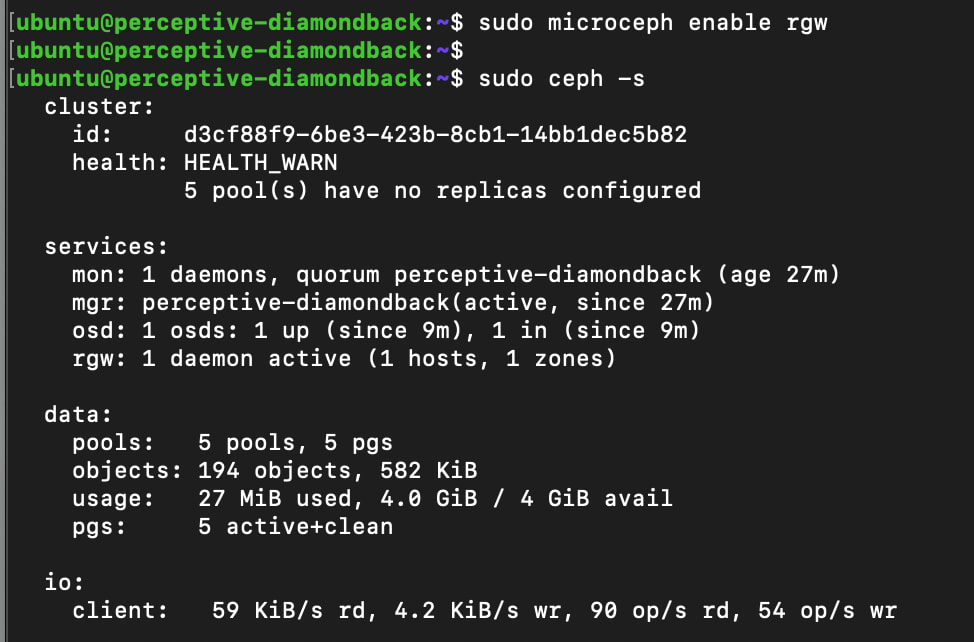
And also by listing the pools in the cluster:
sudo ceph osd pool ls
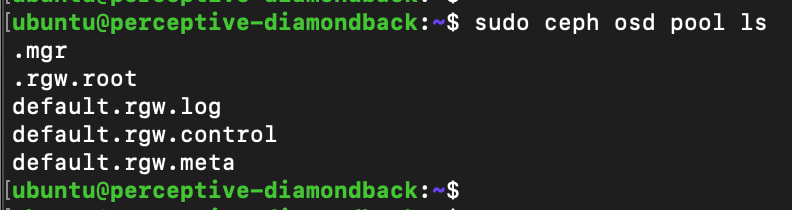
Next, create a RGW user so that we can grant access to storage in the cluster:
sudo radosgw-admin user create --uid=user --display-name=user
The command will provide output like the example below. Your application will need the access_key and secret_key to interact with the cluster – for example, to create buckets, as well as uploading and downloading objects.
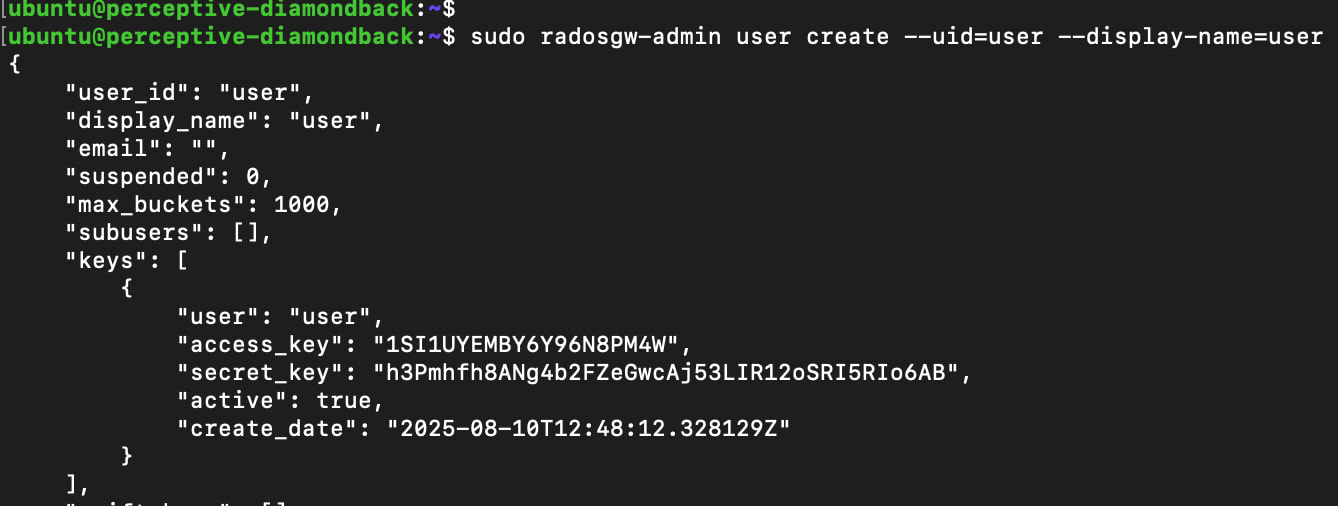
We can quickly find out the IP address of the RGW by checking MicroCeph’s status:
sudo microceph status
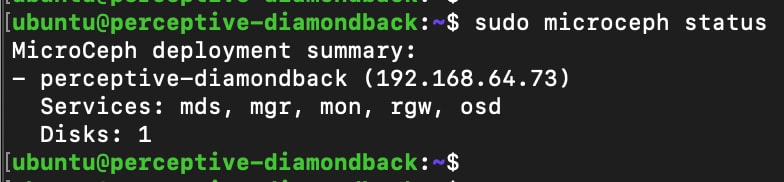
And then we can test the API endpoint using curl:
curl http://<IP Address>

Here we can see that the API endpoint is responding – ready for you to create buckets, and start uploading and downloading files.
There are many ways of interacting with object storage. Tools like s3cmd, boto3, s5cmd or cyberduck are all popular. Alternatively, your application may accept the access and secret keys to directly manage objects stored in an S3 compatible bucket.
MicroCeph beyond a MinIO alternative
Of course, this tutorial only provides a taster of what Ceph is capable of. Scaling up from one node is a very simple process, and ultimately, the cluster can be scaled to multiple petabytes if needed. And unlike MinIO, no other solution is needed if you require Block or File storage too! Find out how to perform a multi-node install in our documentation.
The great thing about the MicroCeph snap is that, as part of Ubuntu and Canonical’s Long Term Support (LTS) commitment, it can be supported for up to 15 years from the release of the LTS. If you’re curious to find out how you can use MicroCeph in the long term, try our blog explaining how to use MicroCeph as Kubernetes storage.